
Designing Parts That Manufacturers Love: A CNC Guideline
Views: 2 Author: Allen Xiao Publish Time: 2025-12-02 Origin: Site


What is the difference between a part that costs $100 and a nearly identical part that costs $500? What is the difference between a part that can be delivered in 3 days and one that takes 3 weeks?
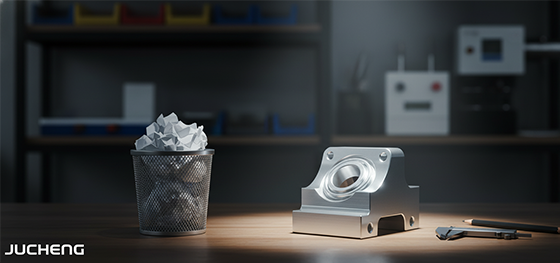
The answer is not the machine. It is not the material. The answer is almost always the design.
A smart design that is optimized for manufacturing can save you a huge amount of time and money. A design that ignores the realities of the machine shop will always lead to frustration. This is a manufacturer's guide to the most important cnc machining design guidelines. Follow them, and you will create better, cheaper, and faster parts.
content:
Befriend the Fillet (Internal Radii)
Think About Your Tool's Reach
Keep Your Walls Sensible
Consolidate Your Setups
Your Ultimate Guideline: Talk to Your Manufacturer
Befriend the Fillet (Internal Radii)
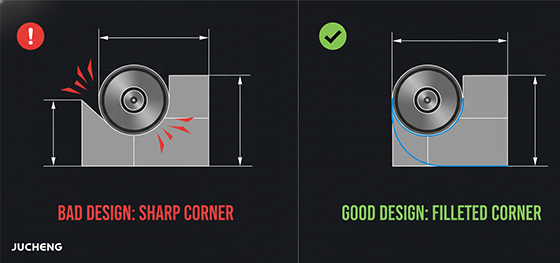
This is the golden rule of CNC Machining design. A CNC machine uses a round, spinning cutting tool. A round tool cannot create a perfectly sharp, 90-degree internal corner. It is physically impossible.
When your design includes a sharp internal corner, we have to use a very, very small tool to get as close as possible. A smaller tool is weaker. It is more likely to break. It must cut much slower. This dramatically increases the machine time and cost.
The smart solution is to always add a fillet, or radius, to all your internal corners. A good rule of thumb is to make the radius at least 1/3 of the pocket's depth. A larger radius is always better and cheaper. Befriending the fillet is the easiest way to lower your costs.
Think About Your Tool's Reach
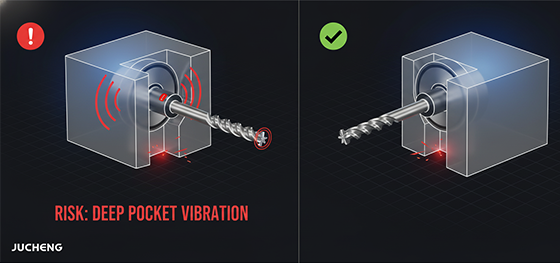
The second rule is to think like a machinist. Imagine the cutting tool. Can it actually reach the features you have designed?
A common mistake is designing very deep, narrow pockets or channels. To reach the bottom of a deep pocket, we have to use a very long, thin cutting tool.
A long, thin tool is like a flimsy tree branch. It will vibrate and "deflect," or bend, during cutting. This leads to an inaccurate cut and a poor surface finish. To prevent this, we have to run the machine extremely slowly. This, again, drives up the cost.
A smart guideline is to keep the depth of any pocket to no more than 4 times its width. If you need a deeper pocket, make it wider.
Keep Your Walls Sensible
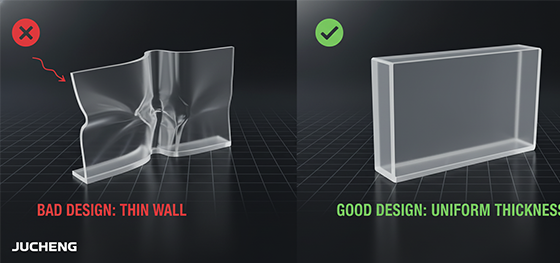
Another common issue is designing walls that are too thin. While a CNC machine can create very thin features, it is not always a good idea.
Very thin walls lack rigidity. They can vibrate during the machining process, which leads to a poor, chattered surface finish. They can also warp or deform due to the stresses of machining.
For metal parts, a good minimum wall thickness is around 1mm to 1.5mm. For plastics, it is better to stay above 1.5mm. Of course, thinner walls are possible, but they require a much more careful, slow, and expensive process. Unless it is absolutely necessary for your design, keeping your walls sensible is a smart choice.
Consolidate Your Setups
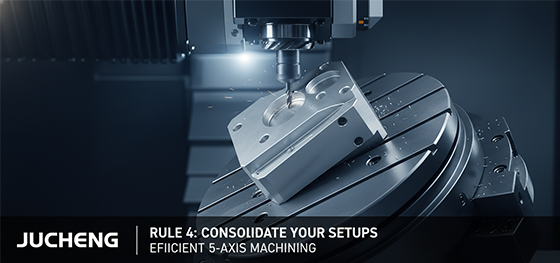
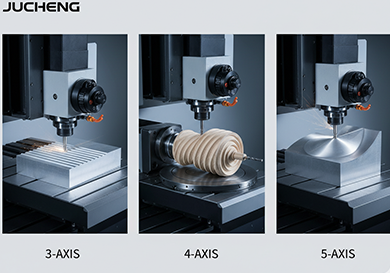
A huge part of the cost of machining is the human labor involved in setting up the part. If your part has features on all six sides, a simple 3-axis machine would need six different setups. The operator would have to stop the machine, take the part out, and re-fixture it six times. This is very slow and introduces the risk of error.
A smart designer thinks about this. Can you consolidate features onto fewer faces? Can you design the part so it can be made in one or two setups?
This is also where a more advanced machine can be a cost-saver. A 5-axis machine can often access five or even six sides of a part in a single setup. While the machine's hourly rate is higher, it can save a huge amount of labor and setup time, often making the final part cheaper and more accurate.
Your Ultimate Guideline: Talk to Your Manufacturer
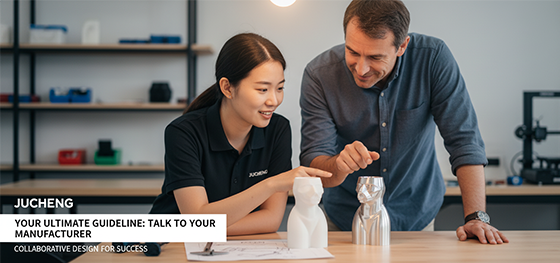
You do not need to be a machining expert to create a great design. These cnc machining design guidelines are a great start. But the ultimate secret weapon is simple. Talk to your manufacturing partner. Early and often.
At JUCHENG, our most valuable service is our DFM (Design for Manufacturability) feedback. Our engineers have seen thousands of parts. We know all the tricks to make a part more efficient to produce.
We will review your design for free. We will give you a detailed report with clear, actionable suggestions. We do not just find problems. We offer solutions.
This partnership is the key to a successful project. It combines your design vision with our manufacturing expertise. Together, we can create a product that is not just beautiful, but also intelligent, cost-effective, and ready for the real world.

ㆍPrivacy: We respect your privacy. Here you can find an example of a non-disclosure agreement. By submitting this form, you agree to our terms & conditions and privacy policy.